AI video tools in 2026: types, leaders and how to choose
AI video tools split into generators, avatar presenters, editors and clipping tools. See what each type does, who the main players are and how to pick one.
StartupsIntel team · Oct 28, 2026 · 7 min read

AI video tools in 2026 fall into four main types: text-to-video generators, avatar presenter tools, AI editors and long-to-short clipping tools. Each type solves a different job, so the best tool depends on whether you need new footage, a talking presenter, faster editing or social clips from existing videos. This guide explains each type, names the leading products and gives a simple way to choose.
One caution first. Video is the fastest-moving AI category, and product names, plans and availability change often. Many comparison articles online are written by vendors or affiliates and disagree with each other on prices and rankings. Treat any price here as a snapshot and check the vendor's own page before you pay.
The four main types of AI video tools
Text and image to video generators
These tools create new clips from a written prompt or a still image. Products you will see in nearly every 2026 roundup include Google Veo, Kling, Runway and OpenAI's Sora, though availability of individual products can change, so confirm that a tool is still offered before you plan around it.
Generators are best for short creative clips, concept visuals, product teasers and b-roll. They are less reliable for long, consistent stories, because characters and details can drift between shots. Most reviewers describe Veo as strong on overall quality, Kling as strong on value, and Runway as strong on creative control and editing, but those are opinions, not measurements.
Avatar and presenter tools
Avatar tools turn a script into a video of a digital presenter speaking. Companies such as Synthesia and HeyGen are the best-known names in this group. They suit training videos, product walkthroughs, internal announcements and localized explainers where you want the same message in many languages without filming.
The tradeoff is style. Avatar videos are clear and fast to produce, but viewers can tell they are synthetic. They work best when the goal is information, not entertainment.
AI-assisted editors
Editors use AI to speed up normal video work. Typical features include transcript-based editing, removing filler words, adding captions, cleaning audio and cutting silence. Descript is a well-known example of editing by editing text.
If you already shoot your own footage, an AI editor often saves more time than a generator, because it improves real footage instead of replacing it.
Long-to-short clipping tools
Clipping tools take a long video, such as a podcast, webinar or interview, and cut it into short vertical clips for TikTok, Instagram Reels and YouTube Shorts. They detect topics, reframe the picture around the speaker and add captions.
This is the most practical category for creators and marketers who already publish long content. It adds reach without new filming.
AI clipping tools: Klap and other options
Several products compete in clipping. Opus Clip is one of the most widely discussed, and Klap is another.
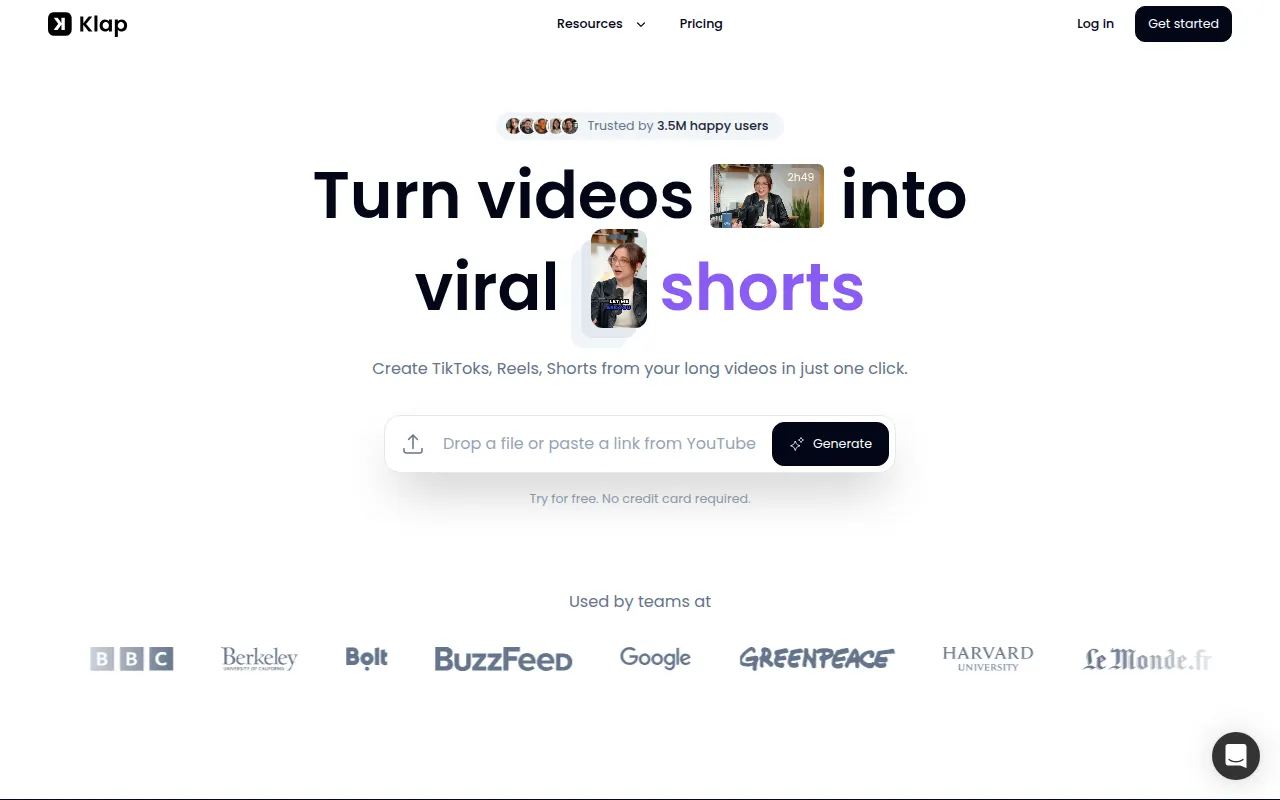
Klap (affiliate link) describes itself as a tool that creates TikToks, Reels and Shorts from your long videos. According to its own website, you can paste a YouTube link or upload a file, and it says one minute of video yields about five clips. The site lists these features:
- AI editing that extracts topics and edits them into clips
- Auto reframing that keeps the main subject in view using face recognition
- Layouts such as split screen, screencasts and gaming, through a feature it calls AI Reframe 2
- Generated captions and subtitles, with options for fonts, colors, logos and framing
- A viral score for each clip
- Publishing and scheduling to TikTok, YouTube, Instagram and LinkedIn
Klap says it works in 52 languages and works best with speech-heavy content like podcasts, interviews and educational videos. Its site also lists a free trial for one video, with downloading and posting requiring a paid plan, and paid plans starting at $14 per month for 100 clips, with higher tiers for more clips. The "viral score" and any claim about making viral content are the company's own framing and are not independently verified, so test a few clips before you build a workflow around it.
Whichever clipping tool you consider, compare these points:
- How pricing works. Some tools charge by clips, others by minutes of source video.
- Whether exports carry a watermark on the free plan.
- Which languages and caption styles are supported.
- Whether you can edit the clip after the AI cuts it.
- Direct publishing to the platforms you use.
Run the same 30-minute video through two tools and compare the clips side by side. That test tells you more than any feature list.
Prices and plans: what to expect
Pricing across the category follows credits or usage. Runway, for example, lists a free plan with a one-time credit grant and paid monthly plans with a fixed number of credits that go up with the price. Generators charge more per second of footage than editors or clipping tools do, since generating video needs far more compute.
Some practical rules:
- Budget by finished minutes, not by plan price. A cheap plan that runs out of credits after a few clips costs more per usable video.
- Watch for annual discounts. Several tools advertise the annual rate in large type and the monthly rate in small type.
- Check commercial rights. Free tiers may restrict business use.
- Expect a lot of rerolls. Generators rarely give a usable result on the first try.
How to choose
Start with the job, not the brand.
| Your job | Tool type to start with |
|---|---|
| Create new short clips or b-roll from an idea | Text and image to video generator |
| Produce training or explainer videos from a script | Avatar presenter tool |
| Polish footage you already shot | AI-assisted editor |
| Turn podcasts and webinars into social clips | Long-to-short clipping tool |
Then test two products with a real task. Use your own script, your own footage or your own long video. Judge the result on three things: how much cleanup it needs, how long it takes end to end and what it costs per finished video.
What the video category looks like as a market
For founders and investors, the video category has two sides. Generators are expensive to run, depend on large model investments and compete on quality that changes every few months. Workflow tools, like editors and clipping products, usually sit on top of other models and compete on convenience and distribution.
You can see how the category is developing in our AI video directory. To compare how much attention different video tools get, paste any domain into the traffic checker and look at the modelled monthly visits. Those numbers are estimates built from public popularity lists, so use them for comparison and not as exact audience counts. The trending traffic rankings also show which products are gaining attention month to month, and our guide on finding the best alternative to any AI tool helps you build a fair shortlist.
Risks to keep in mind
- Product churn. Some video products have been reported as discontinued or changed in 2026, so avoid building a business process on a single tool.
- Rights and disclosure. Check platform rules on labeling AI-generated video, and confirm you hold the rights to any footage you upload.
- Quality control. Always review clips for errors in faces, hands, text and audio sync before publishing.
FAQ
What is the best AI video generator in 2026?
There is no single best. Reviewers often name Veo for quality, Kling for value and Runway for control, but results depend on your prompt style and budget. Test two options with the same prompt.
Are AI clipping tools worth it?
They are worth it if you already publish long videos with clear spoken content. They save editing time, but you should still review each clip and adjust captions.
Can AI video tools replace a video editor?
For simple social clips and presentations, often yes. For brand films or complex stories, they work better as assistants than replacements.
Do I need to pay for AI video tools?
Free tiers help you test, but exports and commercial use often require a paid plan. Read the plan limits before you rely on a free tier.
ai videovideo generatorsai clippingai tools